Claude Code GUI alternatives compared
There are now several ways to run Claude Code outside a bare terminal. They solve different problems, so the right one depends on what slows you down.
Claude Code in the terminal (Anthropic)
The original. Anthropic also offers its own desktop and web versions and Projects for grouping sessions. Best if you mostly run one agent and like the command line.
Conductor
Runs a team of coding agents in the cloud. Each agent gets its own cloud sandbox with your repos installed, it runs Claude Code, Codex, Cursor and OpenCode, and it has a multiplayer mode for teams. Best if you want agents running remotely for hours and share work with teammates.
Nimbalyst
An agent wiki and visual workspace for Claude Code and Codex: tasks, docs, diagrams and a wiki your agents write. Free for individuals, on Mac, Windows and Linux. Best if your problem is keeping decisions and context organised.
opcode
An open source desktop companion for Claude Code. Best if you want a free, open source GUI and are happy to run it yourself.
Moryu Dev
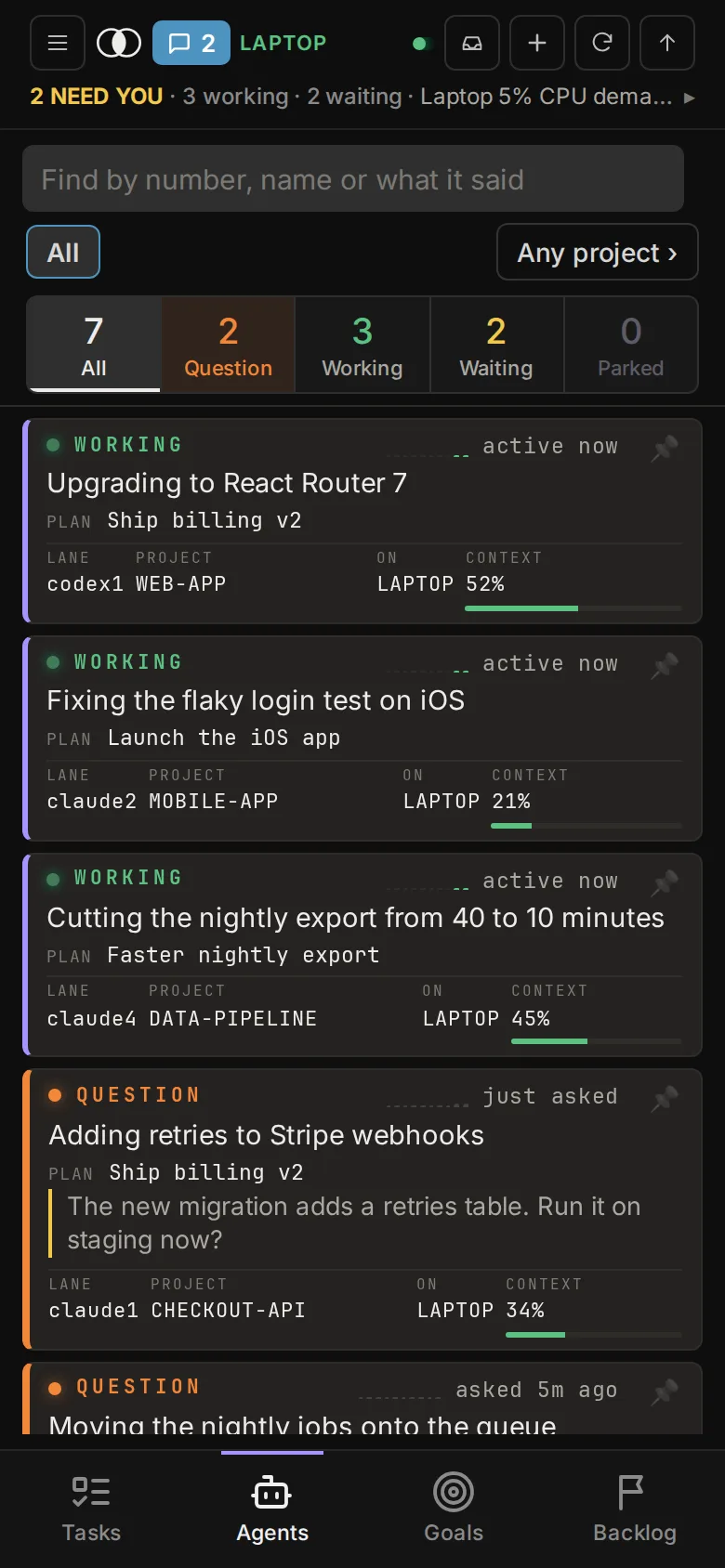
One local desk for all your Claude Code and Codex sessions, sorted by what each needs from you, with the live terminal beside the list. Best if your problem is babysitting: several agents running and no quick way to see which one is waiting. Free with your own Claude Code or Codex; Pro is US$20 a month and adds your phone.
How to choose
- Want agents in the cloud and a shared team space: Conductor.
- Want a wiki and organised context: Nimbalyst.
- Want free and open source: opcode.
- Want to see at a glance which of your local agents needs you: Moryu Dev.